
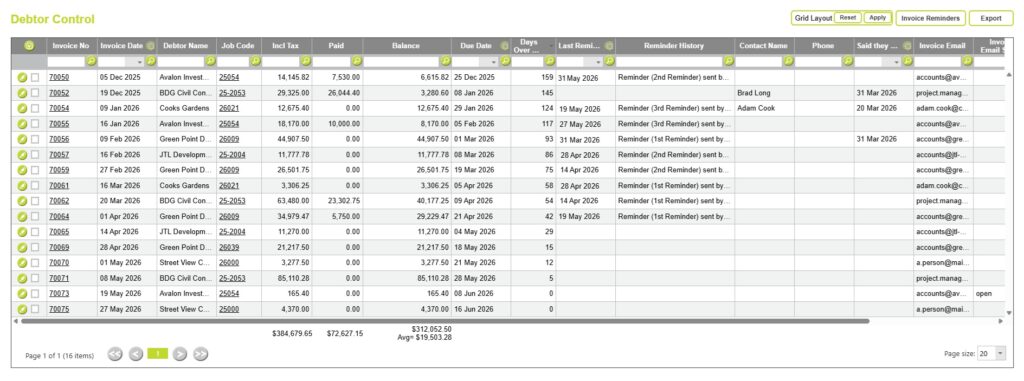
The Debtor Control page is the central dashboard for managing outstanding debtor accounts in Abtrac. It shows unpaid invoices, overdue balances, debtor communications, and collection activities, helping you monitor accounts receivable and manage debt recovery processes.
The invoices displayed on this page are those that still have an outstanding balance and have not yet been marked as Paid in Full on the Invoice Payments page. The total balance shown in Debtor Control should reconcile with the accounts receivable balance in your accounting system.
In addition to providing a list of outstanding invoices, the Debtor Control page acts as a diary for debtor management, allowing you to record follow-up actions, payment commitments, and communication history for each invoice.
Debtor Management > Debtor Control
From Debtor Management >> choose Debtor Control
Here you can view all outstanding invoices, and all communications related to these debts.
Configuring the Debtor Control Page
Like most screens in Abtrac, administrators can customise which columns are displayed, change column order, and hide or show information for all users from Administration >> Settings >> User Control Settings >> choose ‘Debtors – Debtor Control’ page.
Fields unique to Debtor Control include, Days Overdue, Days from Invoice Date, Reminder Dates, Reminder History, Promised Payment Dates (Said they will pay).
See all the options available for the Debtor Control page here: User Control Settings: Debtors – Debtor Control

Managing Debtor Follow-Up Activity
One of the main functions of the Debtor Control page is recording and tracking debtor recovery actions, conversations, phone calls, emails et
One of the main functions of the Debtor Control page is recording and tracking debtor recovery activities, including phone calls, emails, payment discussions, and other follow-up actions.
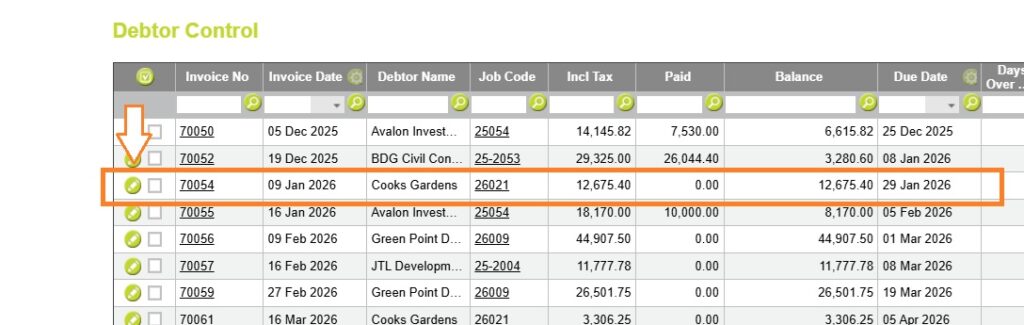
Debtor follow-up records are stored against individual invoices rather than the client or project record. To view or update debtor information, locate the invoice in the Debtor Control grid and select the Pencil button beside it. This opens the Debtor Details window.
Debtor Details
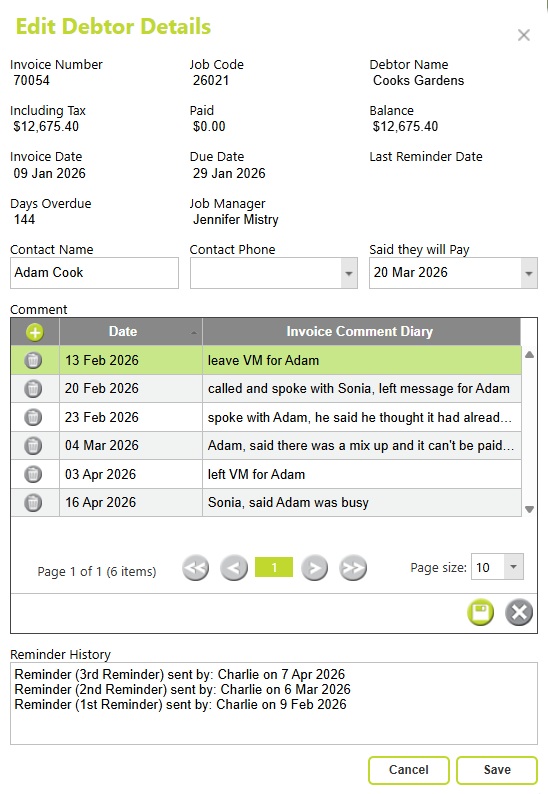
The Debtor Details window contains four sections designed to help manage and track debtor recovery activities. These sections provide invoice information, debtor contact details, a history of manually recorded follow-up actions, and an automated record of invoice reminder emails sent from Abtrac.
Debtor Invoice Details
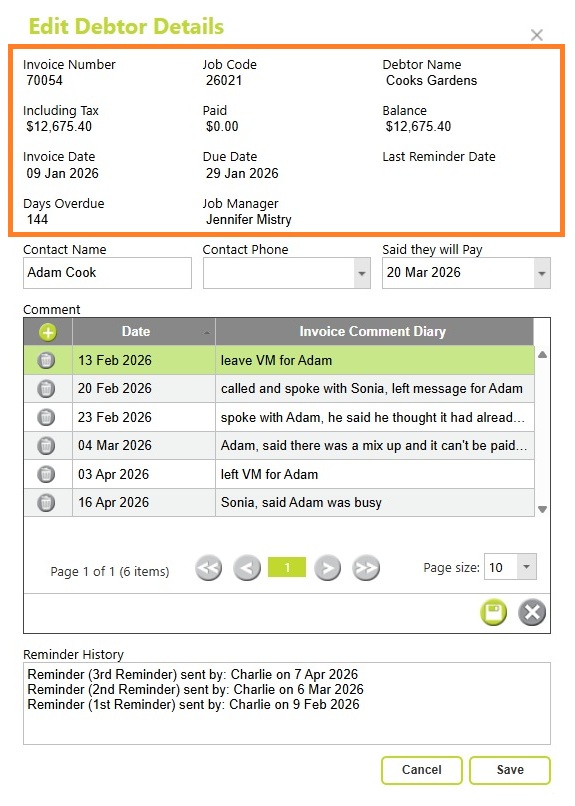
Debtor Invoice Details include:
- Invoice number
- Client details
- Invoice value
- Amount paid
- Outstanding balance
- Invoice date
- Due date
- Days overdue
- Job Manager
This information provides a quick summary of the current status of the debt and who is responsible for the project.
Debtor Contacts
The debtor contact fields are initially blank.
You can either:
- Enter debtor contact details manually, or
- Select an existing client contact that has been marked as an Accounts Contact within Abtrac.
Recording the correct contact details helps ensure follow-up communications are directed to the appropriate person.
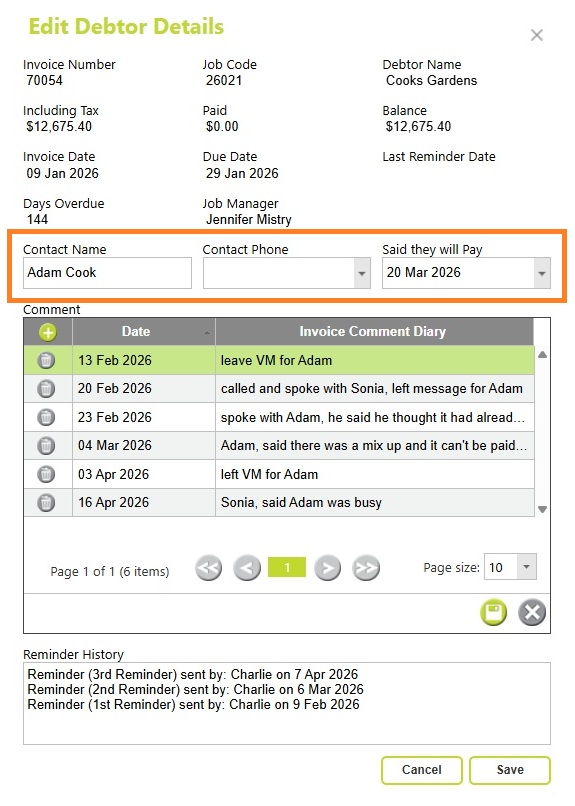
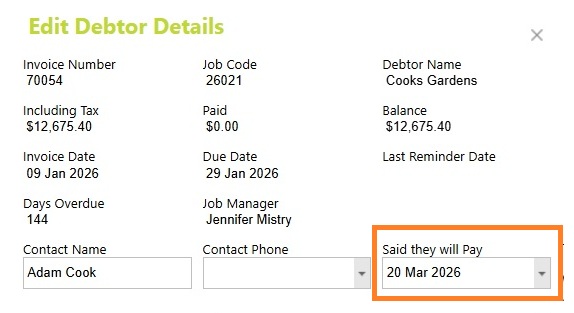
Said They Will Pay Date
If a client commits to making payment, you can record the expected payment date using the Said They Will Pay field in Debtor Details.
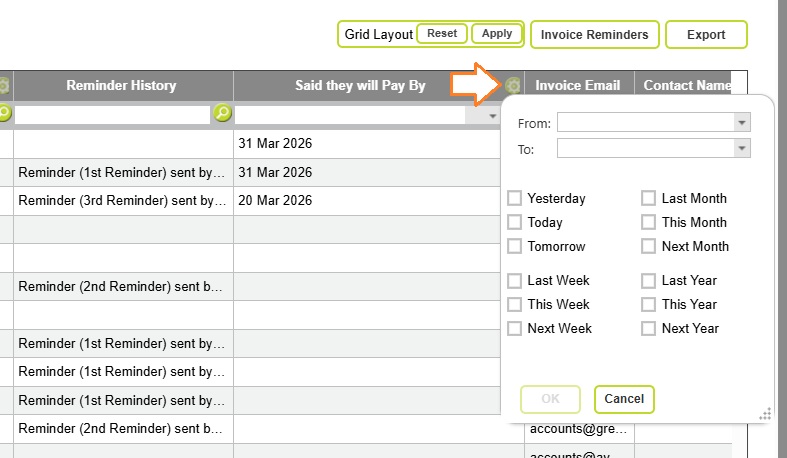
You can then view and filter by promised pay dates back on the Debtor Control page.
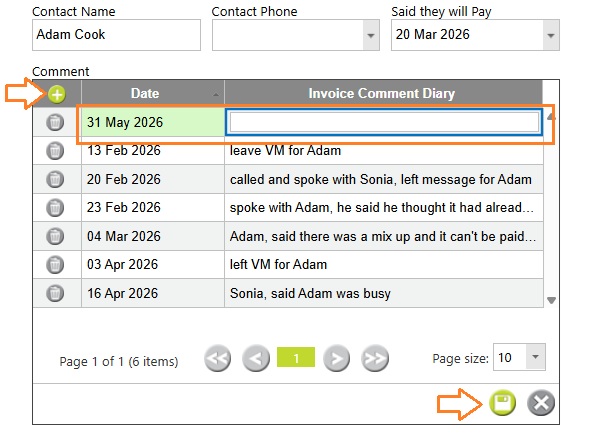
Debtor Diary
The Debtor Diary section allows you to maintain a history of all debtor recovery activities.
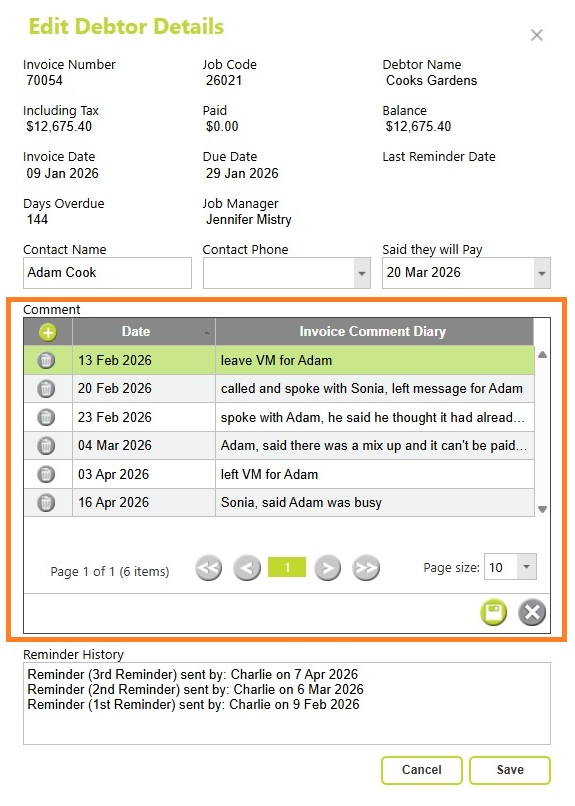
Typical diary entries may include:
- Phone call notes
- Email correspondence
- Payment promises
- Collection actions
- Internal comments regarding the debt
Recording these interactions creates a complete history of communication with the debtor and helps ensure consistent follow-up by all staff members. These comments are optionally visible in the Aged Debtors by Invoice report.
To add a Debtor Diary entry, click the Plus (+) button beneath the Comments heading. Select the appropriate date, enter your notes, and then click Save within the Comments section.
Reminder History
The Reminder History section automatically records invoice reminder emails sent from Abtrac.
This provides an audit trail of reminder activity, allowing users to quickly determine:
- When reminder emails were sent
- Which reminder emails were issued
Export Debtor Control Information
Choosing export to csv will export a tidy copy of the current onscreen debtor management information.

Invoice Reminders
In addition to manually recording debtor follow-up activity, Abtrac also allows invoice reminder emails to be sent directly from the Debtor Control page.

Learn how to configure and send invoice reminder emails here
Abtrac KB # 2259