
We’re making it easier to navigate Abtrac with a new vertical menu and streamlined access to the tools you use every day.
In the next few days you’ll notice a refreshed navigation experience across Abtrac. We’ve moved the main navigation menu from the top of the screen to a vertical sidebar on the left, creating more space for your work while making it easier to find the features you need.
The update is designed to provide a more modern, consistent experience throughout Abtrac while keeping your existing workflows intact.
What’s changing?
A new vertical menu
The most noticeable change is our new left-hand navigation menu.
Previously, most menu options were displayed across the top of the screen. These options have now moved into a dedicated sidebar, giving you access to the same functionality in a cleaner and more flexible layout.
You’ll still find all the familiar areas of Abtrac, including:
- Home
- Clients, Projects
- Timesheets
- Invoicing
- Accounting
- Debtors
- Reporting
- Administration
- Help
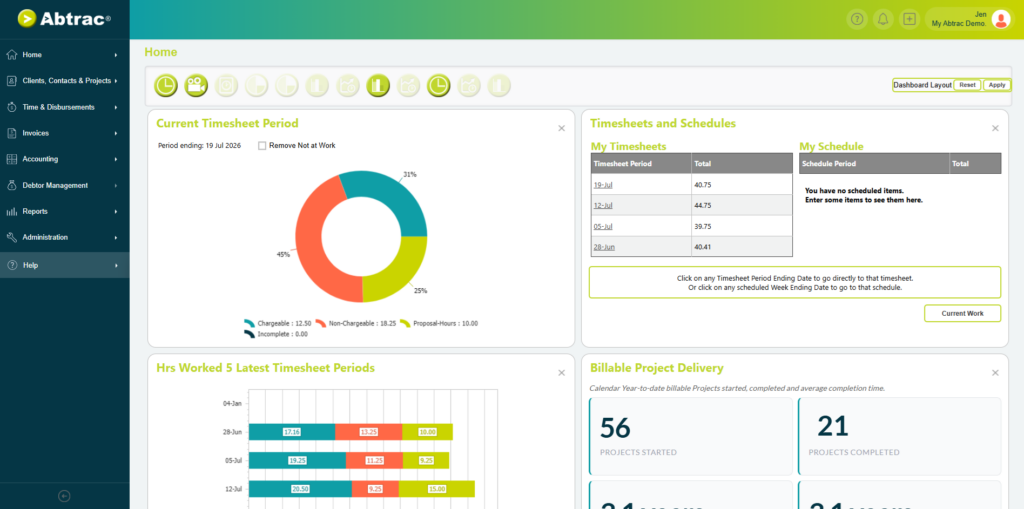
Simply hover over an icon to view the navigation tree and access the area you’re looking for.
Show, hide, or pin the menu
To maximise screen space, the new navigation menu is hidden by default and expands when you need it.
Simply hover over the icons on the left-hand side to reveal the full menu and browse through each section. This gives you more room for project information, reports, timesheets and other content while still keeping navigation close at hand.
If you prefer to keep the menu visible at all times, click the arrow at the bottom of the navigation panel to pin it open. You can also unpin it at any time to return to the compact view.
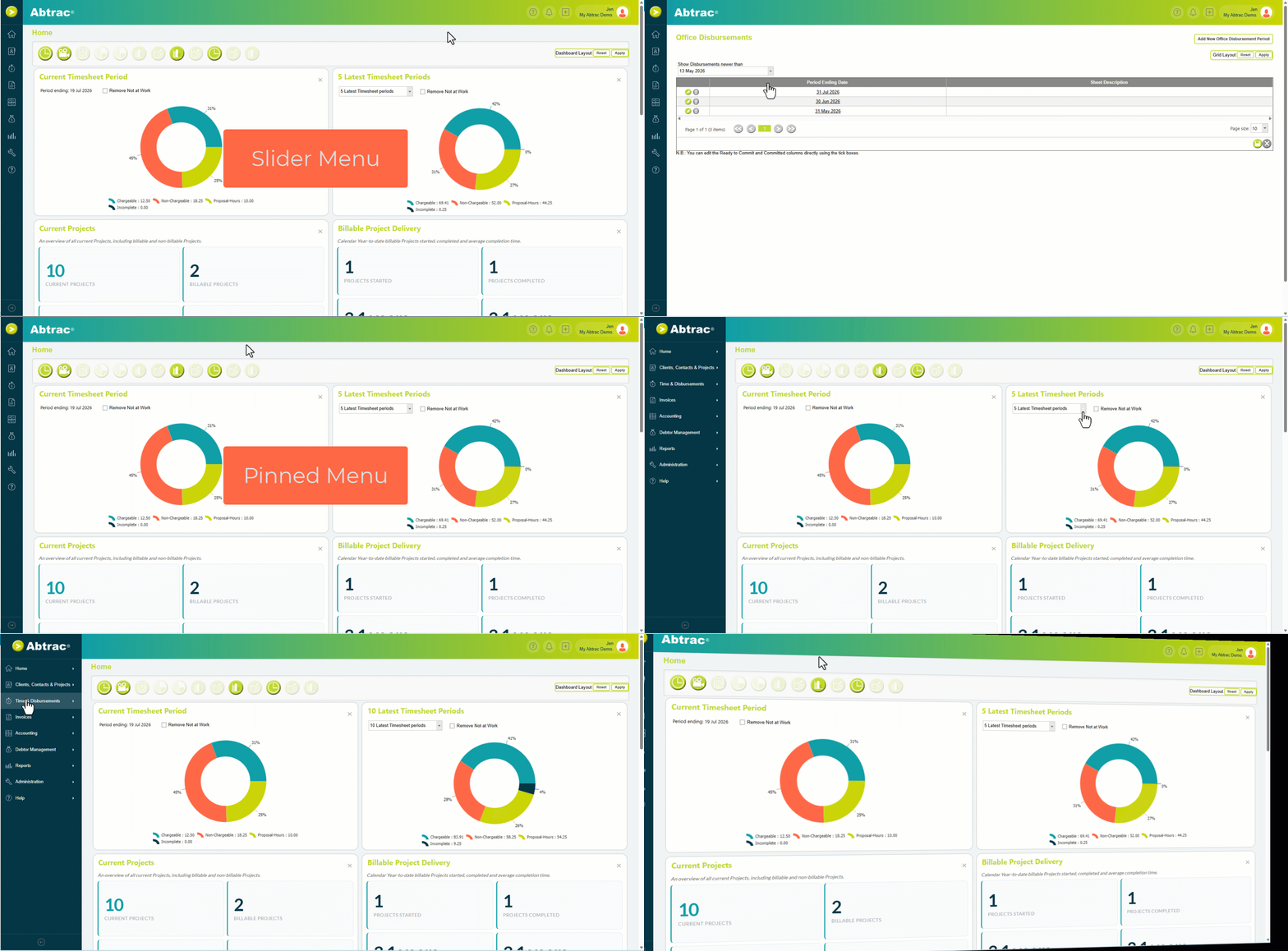
Whether you choose the expanded or collapsed view, all the same menu options are available. The difference is simply how much screen space you’d like to dedicate to navigation versus the information you’re working on.
This approach gives you the best of both worlds: a cleaner workspace when you need more room, and a fully expanded menu when you want quick access to the complete navigation tree.
New quick actions
You’ll also notice a new + (plus) button in the top right corner of the screen.
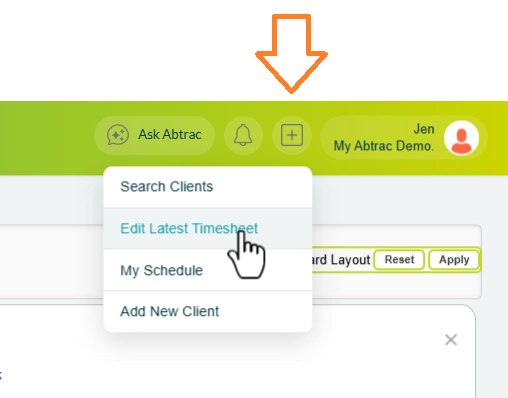
This provides quick access to commonly used tasks, helping you jump directly to important areas without navigating through multiple menus.
Quick actions include shortcuts to:
- Search Clients and Jobs
- Your most recent timesheet
- Your most recent schedule
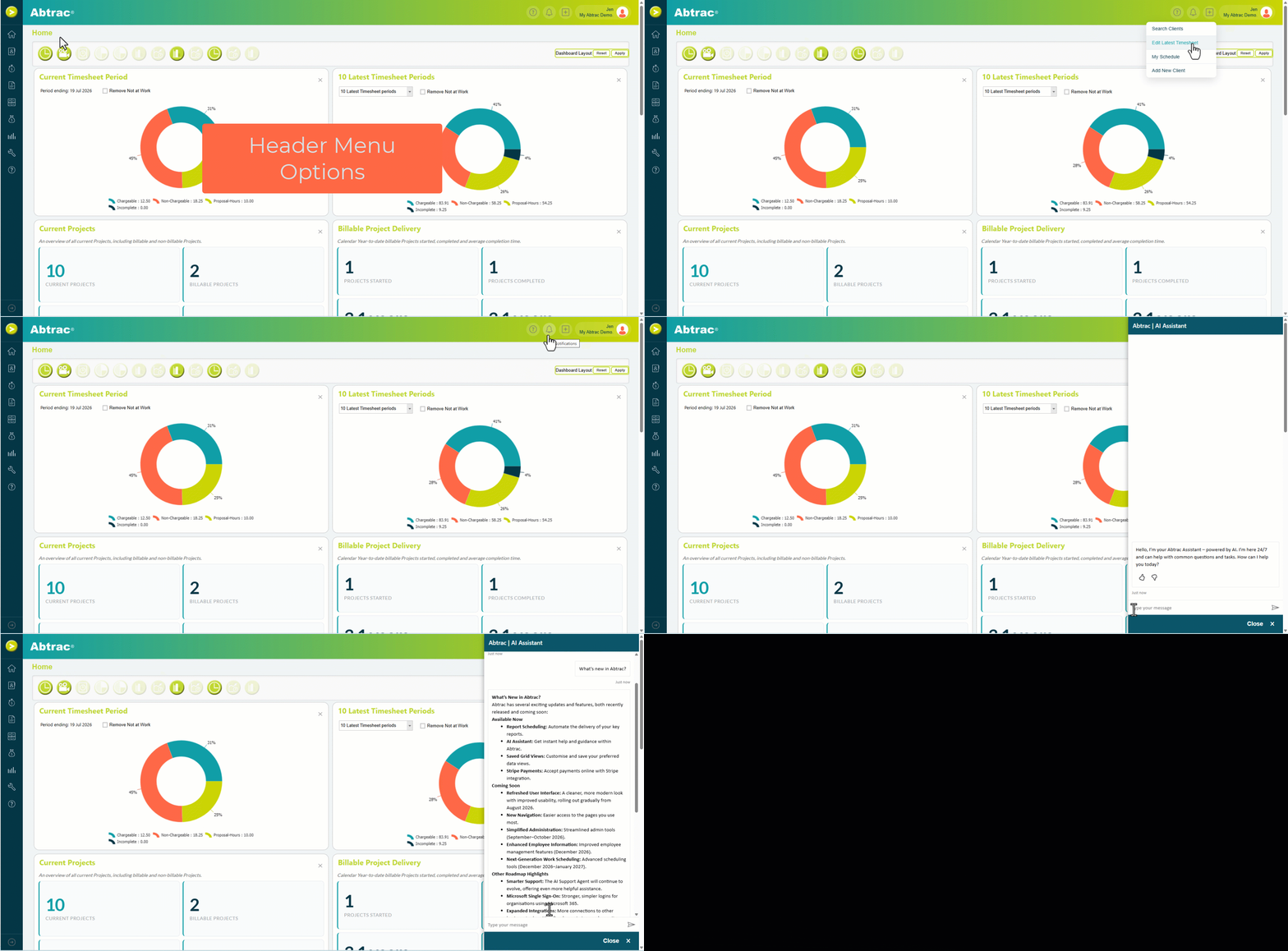
Notifications have moved
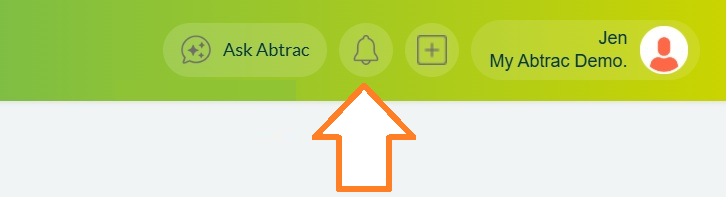
Notifications haven’t changed, but their location has.
Instead of appearing under the login area, notifications now have their own dedicated button, making them easier to access from anywhere within Abtrac.
You’ll still receive and manage notifications exactly as before.
A simpler Help experience
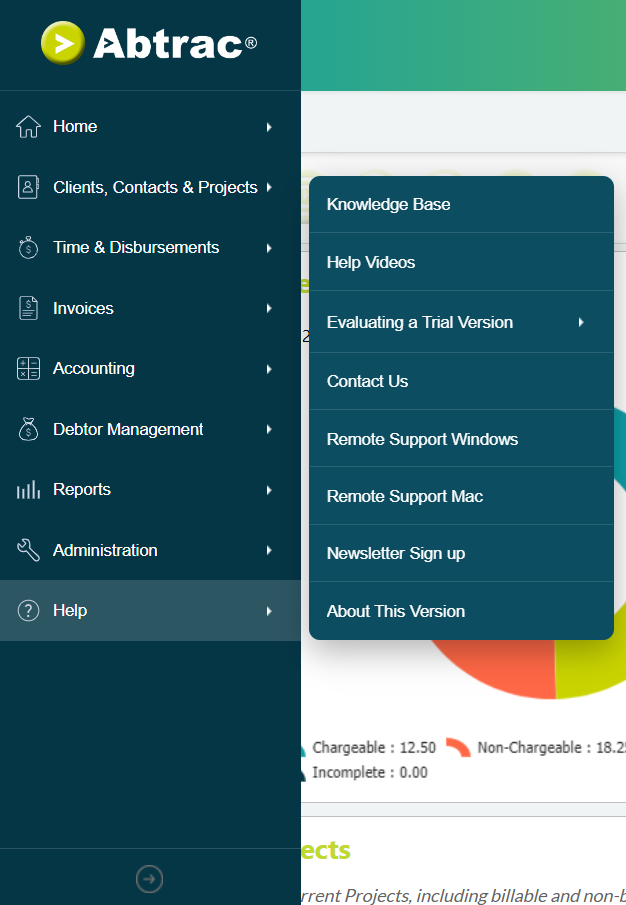
We’ve streamlined the Help menu to make accessing support resources easier.
Previously, the menu contained a large number of direct links to individual knowledge base articles. These links have been replaced with direct access to the Abtrac Help Centre, where you can search and browse the latest documentation and support resources in one place.
We’ve also moved the newsletter sign up, and the remote support links into the help menu.
Quick Help powered by the Abtrac AI Assistant
Need help finding something?
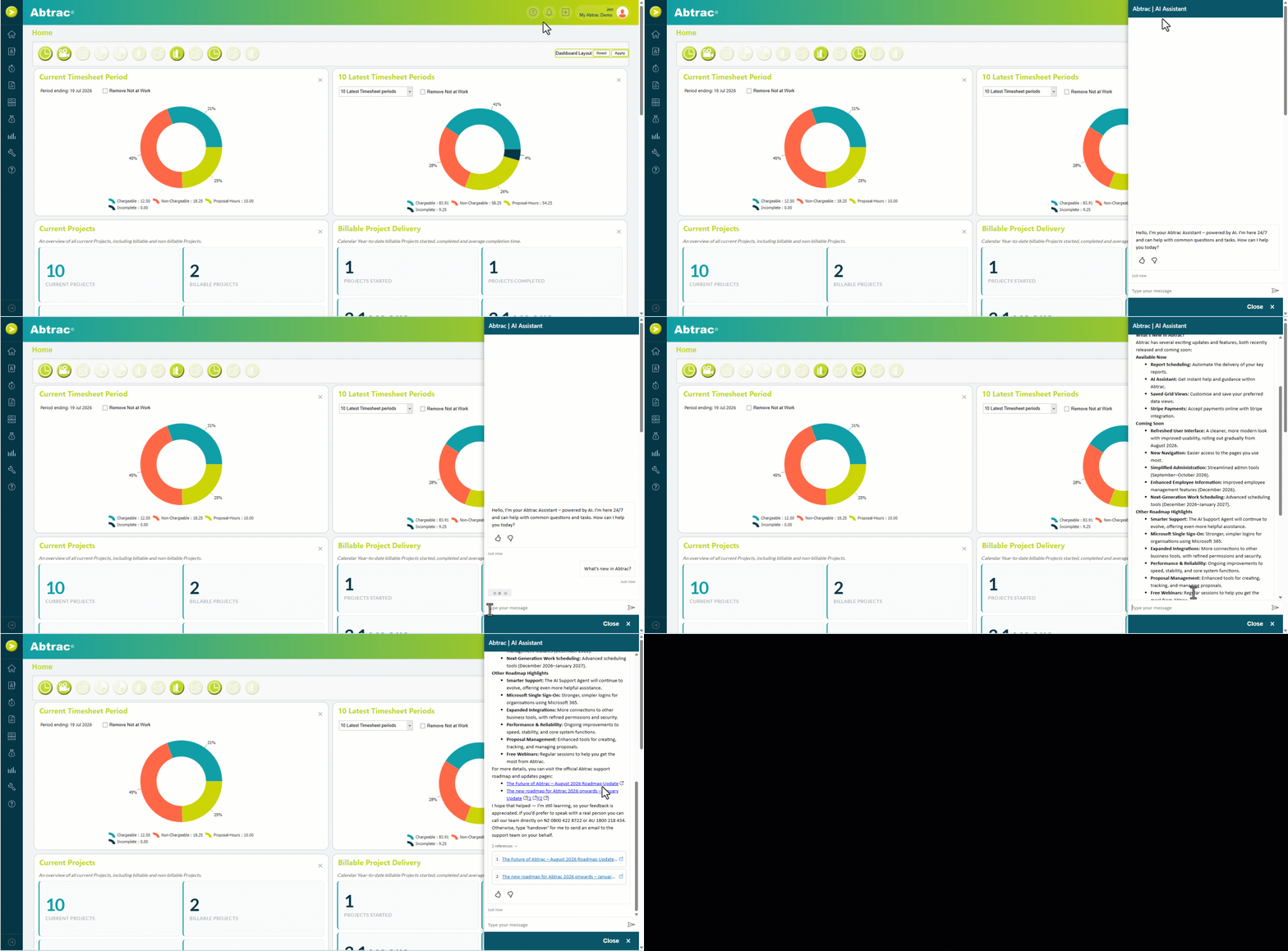
The Abtrac AI Assistant is connected directly to the Knowledge Base, allowing you to ask questions in plain language and quickly find relevant help articles.
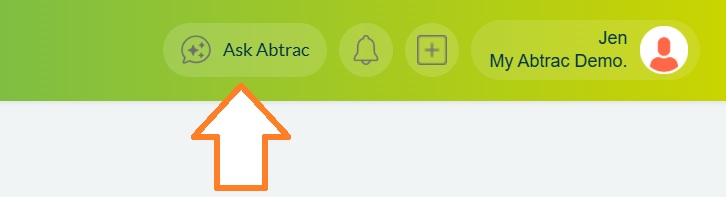
Whether you’re looking for information about the new navigation menu or another feature in Abtrac, the assistant can guide you to the right resources.
Updated Footer Menu
As part of the navigation refresh, we’ve also simplified the footer menu.

Over time, a number of tools, support options, and links were added to the footer to make them easy to find. As Abtrac has grown, and the way we work changes many of these features now have more logical homes elsewhere.
The footer has been streamlined, with most support and account-related links moving into the new Help menu or other areas of Abtrac where they’re more closely related to the task you’re performing.
Don’t worry, nothing has been removed. The same features are still available, they’re just easier to find.
Support and Help Resources
Several support-related links have moved into the new Help menu.
| Previously in Footer | New Location |
|---|---|
| Browse the Knowledge Base | Help > Knowledge Base |
| Sign up to our tips and tricks emails | Help > Newsletter Sign Up |
| Remote Support Windows (Remote Support Mac) | Help > Remote Support |
| Contact Details | Help > Contact Us |
By grouping these resources together under Help, you’ll have a single place to find documentation, support, training resources, and contact information.
AI Assistant
The Abtrac AI Assistant is no longer located in the footer.
You’ll now find it in the main application header, alongside other productivity tools.
| Previously in Footer | New Location |
|---|---|
| AI Assistant | Header > AI Assistant |
This makes the assistant available from anywhere in Abtrac without needing to scroll to the bottom of the page.
Subscription Details
Subscription information has moved into Administration, where other account and configuration settings already live.
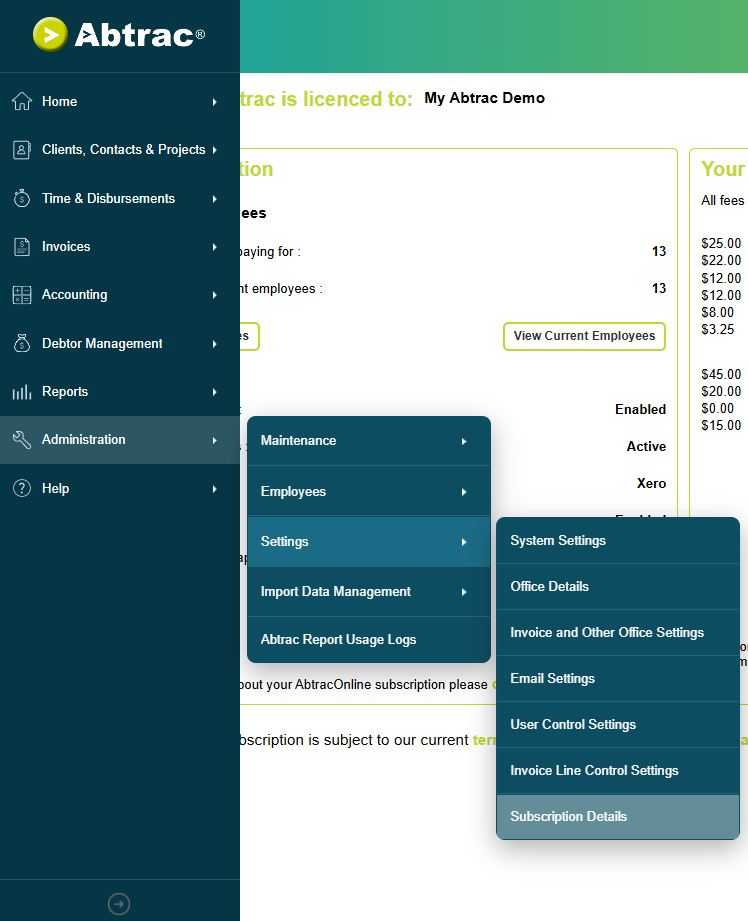
| Previously in Footer | New Location |
|---|---|
| Subscription Details | Administration > Settings > Subscription Details |
This change makes account management easier to discover while keeping administrative settings together in a single location.
Why are we making this change?
As software evolves, so does the way people work.
Over the last decade, a left-hand navigation menu has become the standard approach across modern SaaS applications. Users increasingly work across larger screens, multiple monitors, and data-rich applications where horizontal screen space is abundant but vertical space is at a premium. Moving navigation to the side allows more room for the information that matters most while providing a more consistent experience with the software tools people use every day.
The move to a vertical menu is also an important foundation for the future of Abtrac.
As outlined in our Future of Abtrac August Roadmap Update, we’re continuing to modernise the platform with new workflows, expanded AI capabilities, and smarter contextual tools. Many of these upcoming features are designed around side panels and on-demand workspaces that can appear alongside the information you’re viewing, rather than interrupting your workflow with traditional pop-up windows.
In the coming months, you’ll begin to see more features delivered through right-hand sidebars, including enhancements to the Abtrac AI Agent, contextual help tools, notifications, and other productivity features. By moving the primary navigation to the left, we’re creating a more balanced workspace that allows these new experiences to develop naturally without reducing the space available for the project, financial, and operational data you work with every day.
Put simply, this update isn’t just about changing where the menu sits. It’s about creating the framework for the next generation of Abtrac.
You don’t need to do anything
There’s nothing you need to configure or set up. All of your existing data, settings and workflows remain unchanged.
This update changes how you navigate around Abtrac, but the functionality you rely on every day continues to work exactly as it always has.
While the new navigation delivers immediate benefits, it’s also the first step in a broader programme of improvements across the entire Abtrac platform. As we continue rolling out the enhancements outlined in our roadmap, you’ll see more modern page layouts, smarter sidebar experiences, deeper AI integration, and fewer disruptive pop-up windows.
We recommend taking a few minutes to familiarise yourself with the new layout. Once you’ve had a chance to explore, you’ll find everything is still right where you need it, just in a more modern, flexible, and future-ready experience.
What else is new this month?
Also included in this release are two new Home Page widgets.
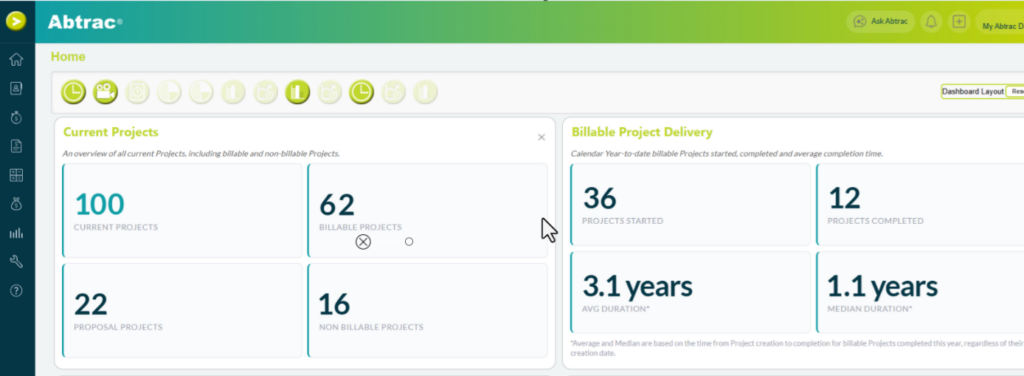
Current Projects provides a quick snapshot of your current workload, showing the total number of active projects, along with a breakdown of billable projects, proposal projects, and non-billable work. It’s a simple way to see how work is distributed across your business at a glance.
Billable Project Delivery gives you a year-to-date view of project delivery performance, including how many billable projects have started, how many have been completed, and the average and median time taken to deliver them. This helps provide a quick overview of project throughput and delivery trends.
For a complete list of everything included in this month’s release, visit the About This Version page.
These temporary release notes were last updated 14/08/2026
Abtrac AV# 0045