
We’re introducing an important security update to your Abtrac login.
Throughout 2025 we’ve been strengthening the foundations of Abtrac — investing in the latest technology and security measures to ensure your data, and that of your clients, remains protected.
Scheduled Maintenance and Downtime
As indicated in communications last year, changes to Abtrac logins will be rolled out early in 2026. This change is happening this weekend.
+ Abtrac will be undergoing maintenance and testing from Saturday 17th – Sunday 18th January,
Check back here for updates — we’ll post any status changes, and confirm here once the scheduled maintenance is complete.
| 17/01/2026 08:00 NZDT | 06:00 AEDT | Taking the website offline to publish security changes. |
| 17/01/2026 10:00 NZDT | 08:00 AEDT | The site is now back online. Our team is carrying out testing and reviews and may release further updates during this time. As a result, you may experience some additional, temporary service disruptions. |
| 17/01/2026 16:00 NZDT | 14:00 AEDT | The technical team are happy with live testing to date, we’re ironing out some minor mobile login and styling issues. There may still be some disruptions as we update minor changes. |
| 17/01/2026 17:00 NZDT | 15:00 AEDT | Testing completed. We don’t expect any further disruptions to service this weekend, we’ll continue monitoring tomorrow (Sunday). |
What’s changed?
A new login page for Abtrac
Data security is our top priority and this month you’ll notice a new Abtrac login page. This new gateway for managing access to Abtrac includes increased security for your login credentials.
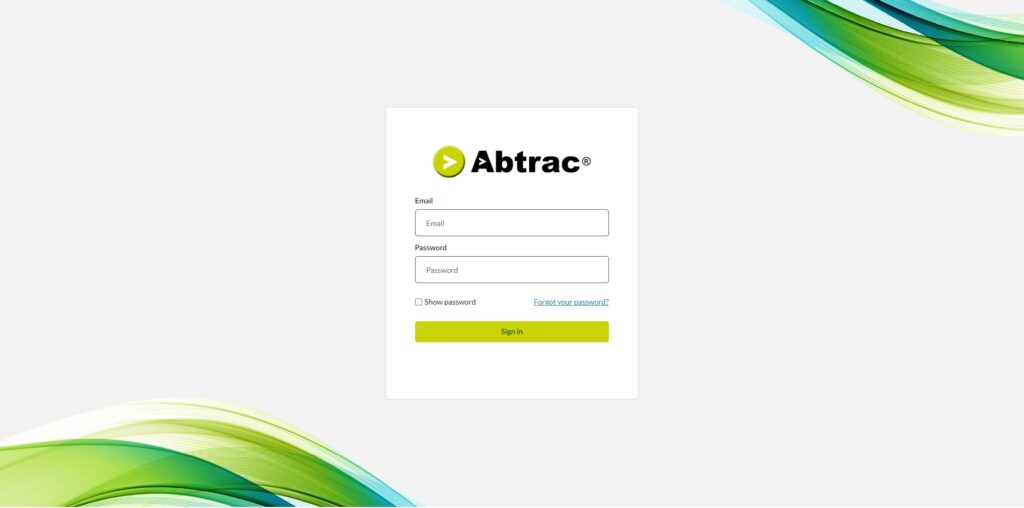
New authentication options
We’ve also expanded our authentication options for logins, you can now login with:
- Username and password
- Username and password + Email authentication: Authorised with an email access code
- Username and password + Mobile App authentication: Authorised with an in app access code
How to choose which authentication option is best for you
Stay logged in option removed
The optional “Stay logged in for 12 hours” setting has been removed. This is in line with current commonly accepted best practice for timeout settings.
If there’s no activity for 10 hours, you’ll be logged out and can simply log in again when you’re ready to continue.
Read more about why we’ve made this change
What do I need to do?
Check your usernames are valid
Abtrac logins require a valid email address as your username.
Admins: Check login usernames for all users from the Login Management screen
Check your password meets the current requirements
When logging into Abtrac for the first time with this new gateway if your password doesn’t meet the current requirements you’ll be forced to update it.
Consider adding authentication to your login
If you don’t already have authentication set up for your login, consider adding it now.
When stage two of this process rolls out in 2026, all users will be required to have authenticated log ins. This will be inline with upcoming mandates across Australia and New Zealand for software containing financial information.
How to choose which authentication option is best for you
After this update, mobile users may be logged out and need to sign in again.
We’ve identified that some mobile operating systems are logging users out of the mobile app following this release. Some users are incorrectly seeing the ‘Permission Denied’ message below.
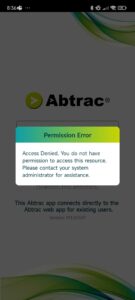
If this occurs, users can ignore this message, and log back into the app.
If a mobile user has forgotten their password, they can follow the steps below to reset it.
(If you’re resetting your password on a mobile device, you’ll need access to your email on that device to authorise the password reset.)
What hasn’t changed?
Your Abtrac username remains the same.
You’ll still access Abtrac from the same website.
Your data, roles, and permissions remain unchanged.
Why have we made this change?
Enhanced security
Abtrac now uses Microsoft-managed identity and multi-factor authentication (MFA) for stronger account protection.
Better reliability
Session handling has been strengthened. This upgrade resolves previous issues with the 12-hour session timeout — sessions and timeouts are now managed by Microsoft for greater reliability.
Future flexibility
This update also lays the groundwork for upcoming options, including Microsoft login and Single Sign-On (SSO).
What’s next in security updates for Abtrac?
Compulsory authentication
All users will be required to have authenticated logins.
This will be inline with the requirements across Australia and New Zealand for software containing financial information. You’ll need to enable either email or app authentication for each user.
Single Sign-On (SSO) with Microsoft accounts
Support for Microsoft SSO will be introduced, allowing you to log in to Abtrac using your existing Microsoft credentials.
Compulsory password expiry
Microsoft recommends a 90-day password reset cycle. This policy may be trialled before a full rollout.
These temporary release notes were last updated 12th January 2026