
The Referrals report shows jobs that have a Referred From source recorded against them, along with key job details such as the job code, date created, client, description and project fee estimate. The report can also include referral comments recorded against the referral source.
This report is useful for reviewing where new projects have come from, identifying referral sources and seeing the value of jobs associated with each referral source.
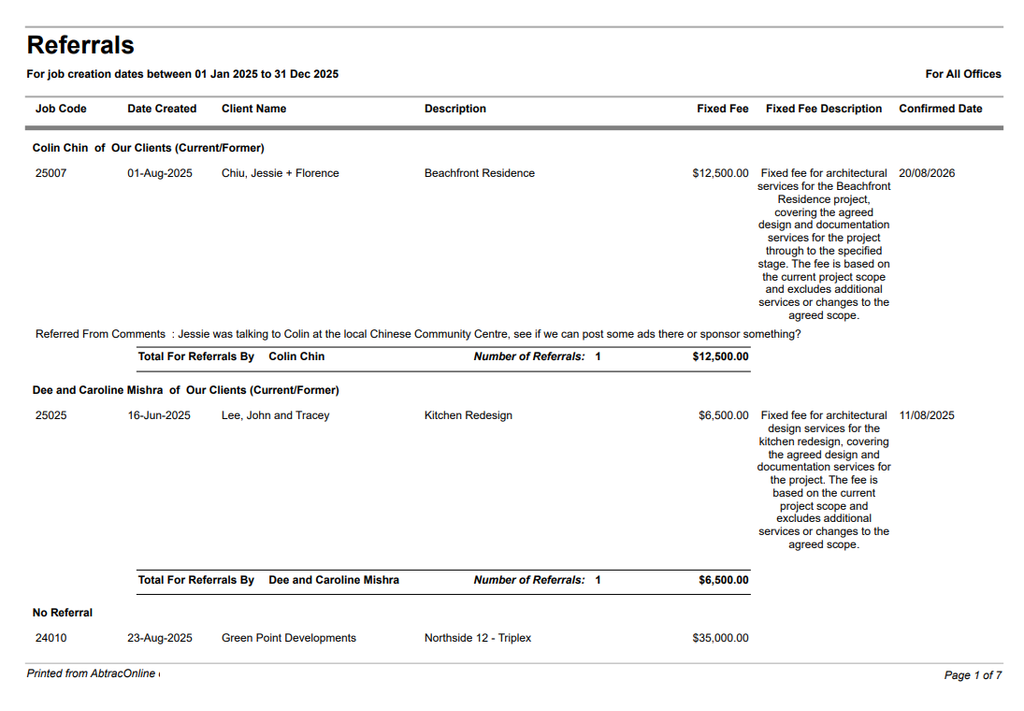
Referrals Report
This report is useful for highlighting new projects that have come from a referral, identifying referral sources and seeing the value of jobs associated with each referral source.
Go to Reports >> Performance Reports >>from the ‘Management Analysis’ section, click on ‘Referrals’.
Select the required date range, to view projects with referrals created between these dates.
Referrals Report – Filter, Sort and Grouping Options
You can also optionally filter and group this report by Job Office, and filter by Client, Job and Job Manager.
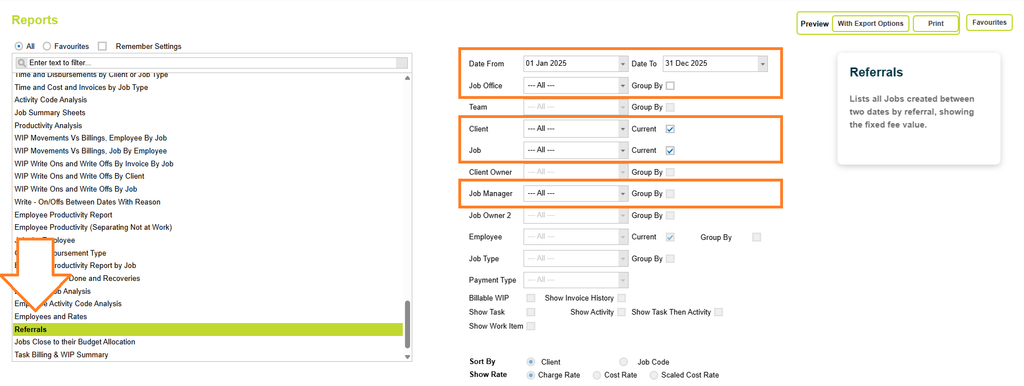
Once you’ve selected your filter options, click on the Preview button and select one of the preview options (Print or with Export options).
Before generating the report, you can also select the following option:

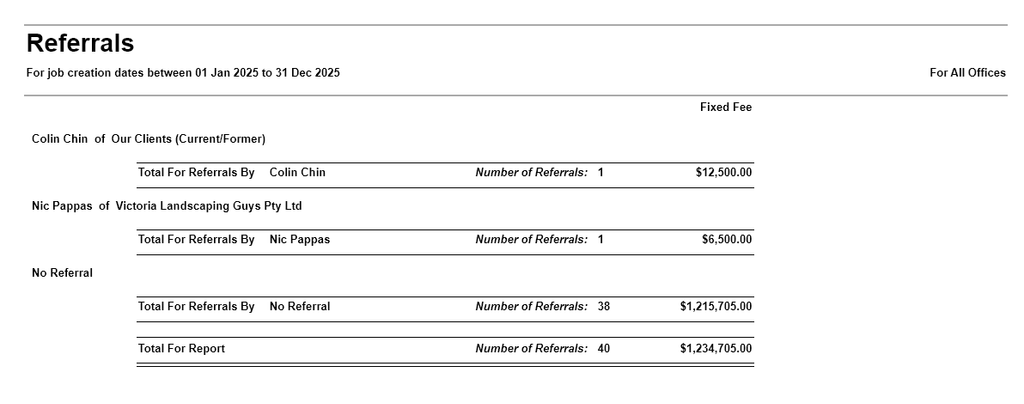
- Show Summary data only: Hides project details and shows only the Referral Name, count of projects and project fee estimate totals.
Click on the preview button to preview the Employee Productivity report.
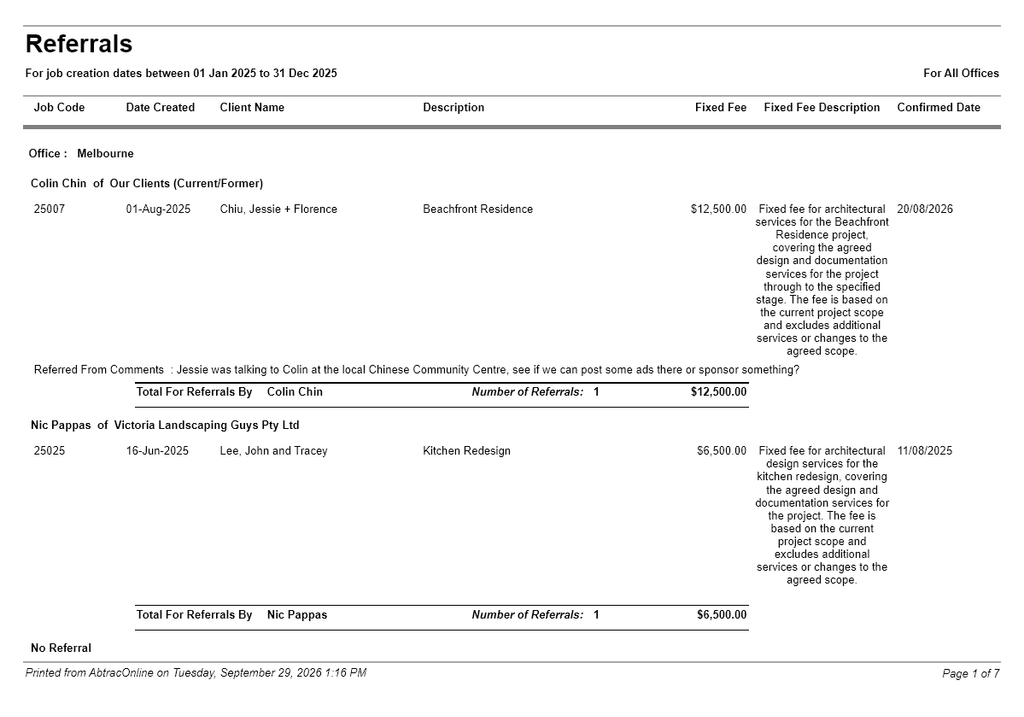
Referrals Report – Show all Project details
Referrals Report – Show Summary data
Understanding the data
The report lists the referral source, job code, date created, client name, job description, job fee estimate (fixed fee), job quote description (fixed fee description) and confirmed date. Where referral comments have been recorded, these are also displayed.
The report groups jobs by Referred From source and provides a total number of referrals and fixed fee value for each referral source. Jobs where no referral source has been recorded are grouped under No Referral. When optionally grouping by Office, totals are only displayed by Referral Source and not by Office.
A total for the entire report is shown at the end.
Referrals By (Referred From)
The referral source recorded against the job.
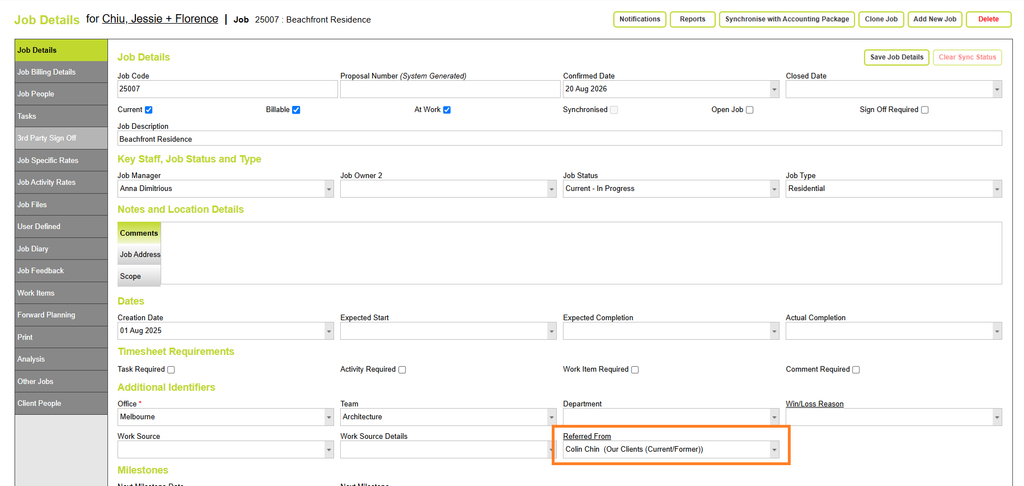
This may be a person, company or other referral source entered in the Referred From field on the job. In the Referrals report, the referral source is displayed as the referrer’s name followed by “of” and the company name, where a company has been recorded.
For example: Nic Pappas of Victoria Landscaping Guys
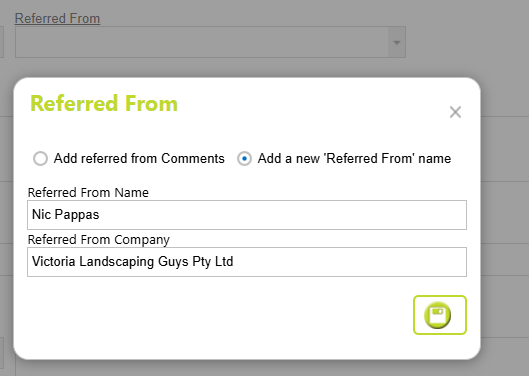
Read more about Job Referred From here
Job Code
The unique job code assigned to the project.
Date Created
The date the job was created in Abtrac, as recorded in Job Details > Job creation date.
Client Name
The client name recorded against the job, as recorded in Client Details > Client Name
Description
The description of the job as recorded in Job Details.
Fixed Fee (Job Fee)
The fee estimate recorded against the job, from Job Details > Job Billing Details > Fee. Job Fee can be entered against the project, or calculated as a sum of all task fee estimates. In this report it’s labelled as Fixed Fee, although it can be a Fee Estimate for an hourly rate project.

Fixed Fee Description (Quote Description)
The description entered as a quote or fee summary from Job Details > Job Billing Details > Quote Description. Although in this report the label is Fixed Fee description, this is just the description of works that the client can see in proposal documents.
Confirmed Date
The date the job was confirmed, as entered in Job Details > Job Confirmed Date.
Referred From Comments
Comments recorded against the job’s Referred From field, by opening the Referred from Pop up box. These can provide additional information about how the referral was received or the relationship with the referral source.
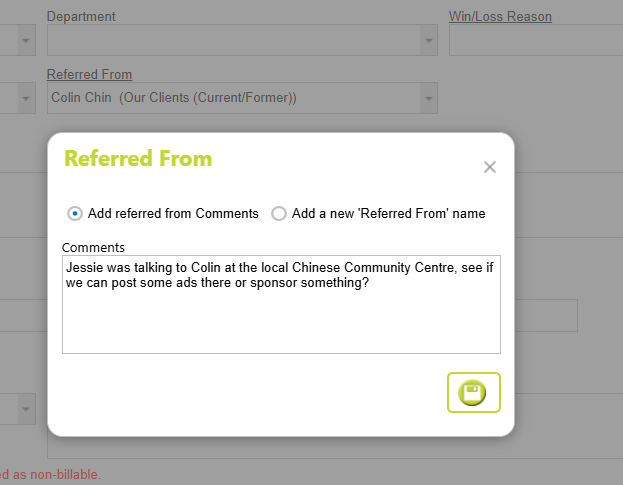
Read more about Referred From comments here.
Abtrac KB# 2289